A video player for video production.
Watch your footage. Comment right on the frames that matter.
Comment on the frame
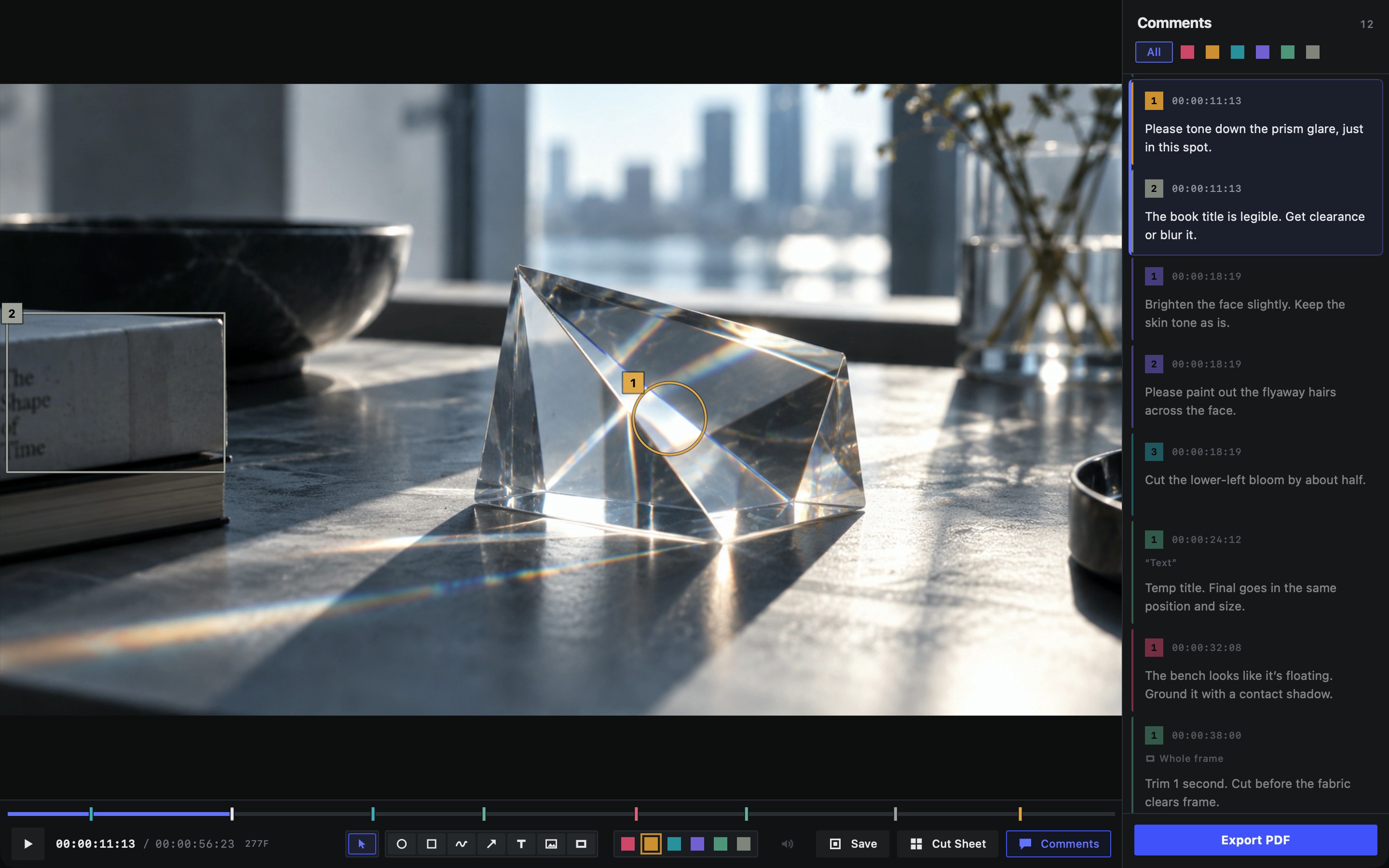
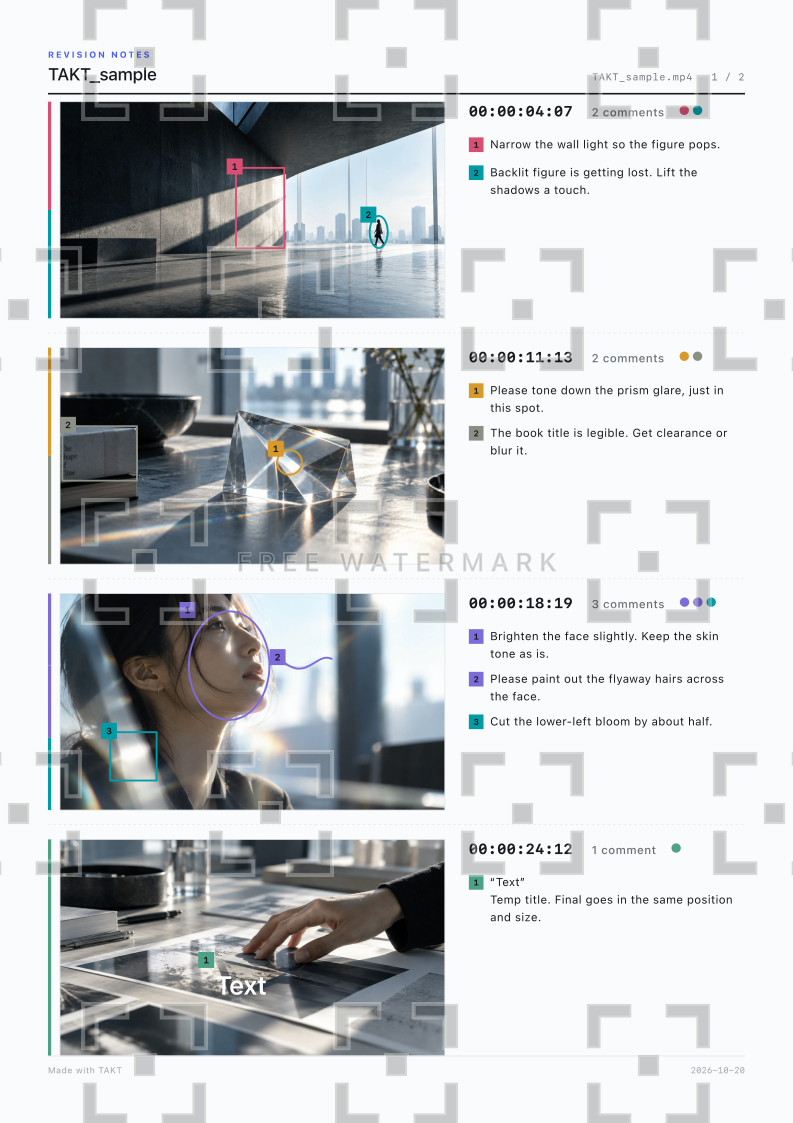
Pause, then mark and comment directly on the frame.
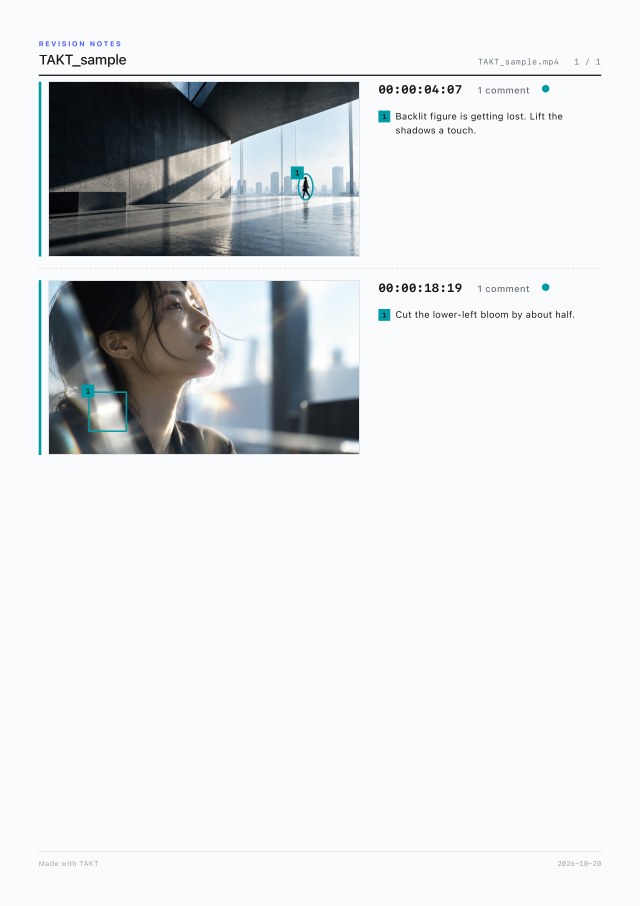
100:00:04:07
Narrow the wall light so the figure pops.
200:00:04:07
Backlit figure is getting lost. Lift the shadows a touch.
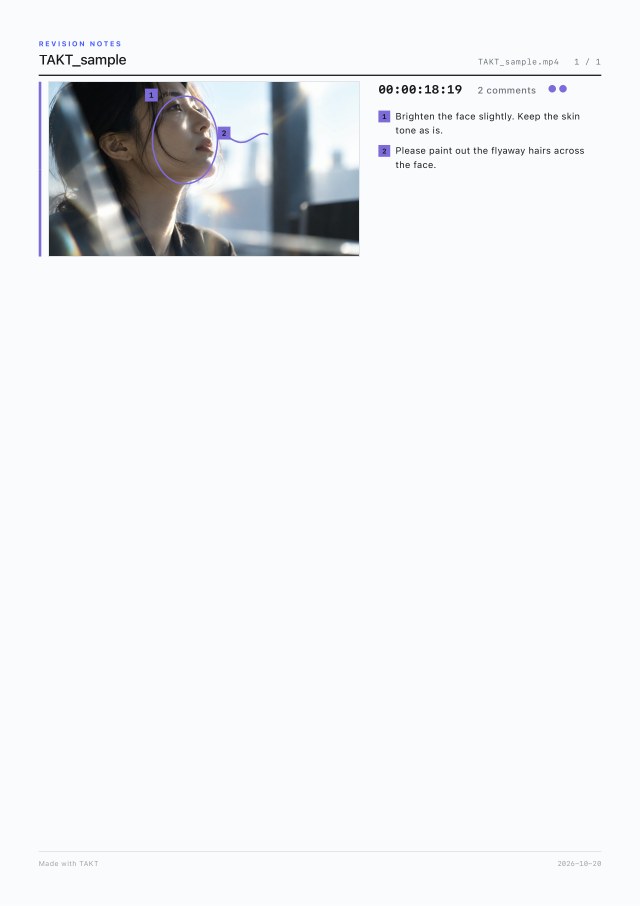
Each mark gets a number. The comment with the same number appears in the list, with its timecode.
Choose the right tool for each comment
A range of tools and six comment colors make every comment clear.
 OvalDraw around a person or object
 RectangleMark an area
 FreehandDraw any line
 ArrowPoint to a spot or direction
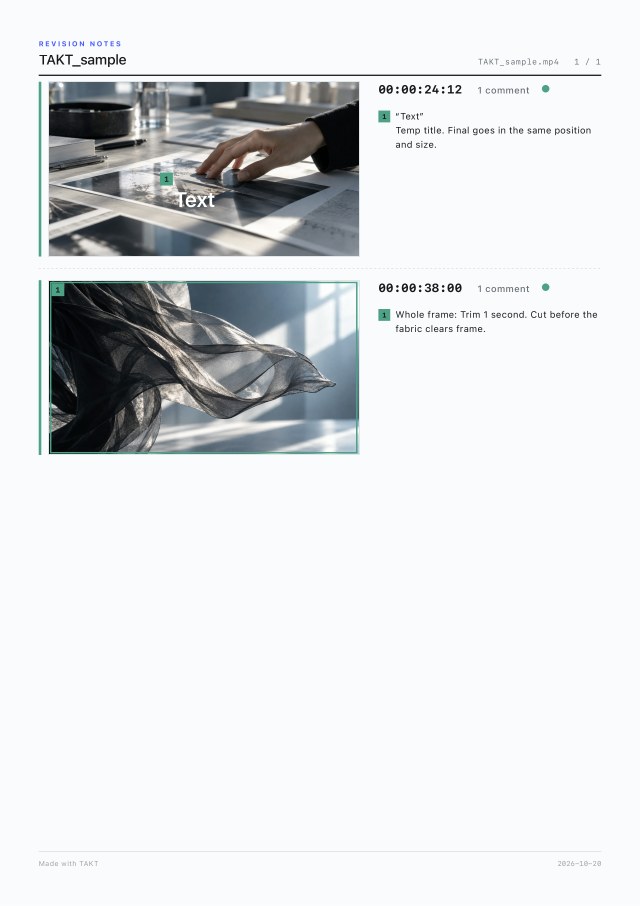
 TextPlace text on the picture
 ImagePlace a logo or reference
 Whole frameComment on the entire frame
Six comment colors come with default labels such as Agency, Client, and Production. You can rename them in Settings.
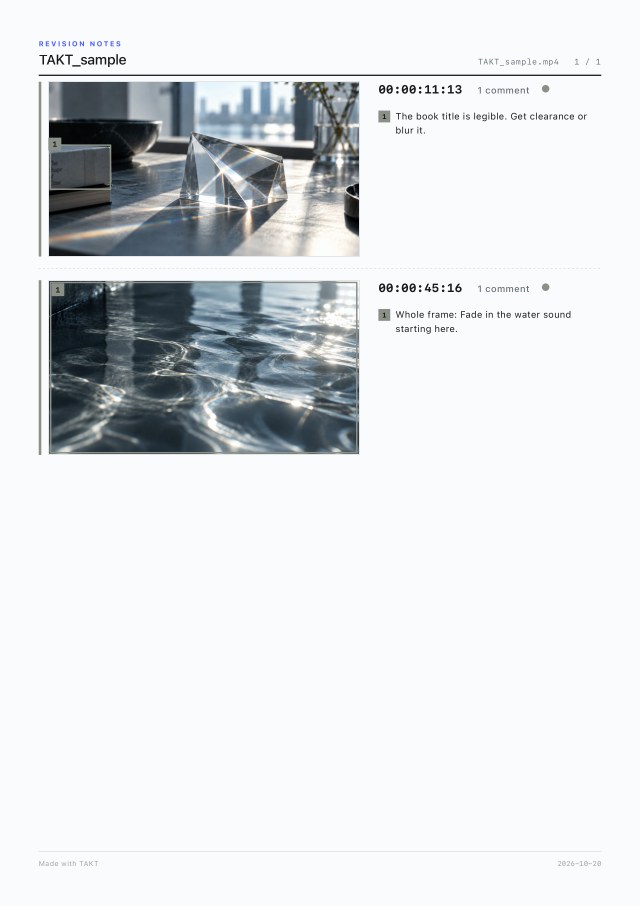
Export to PDF
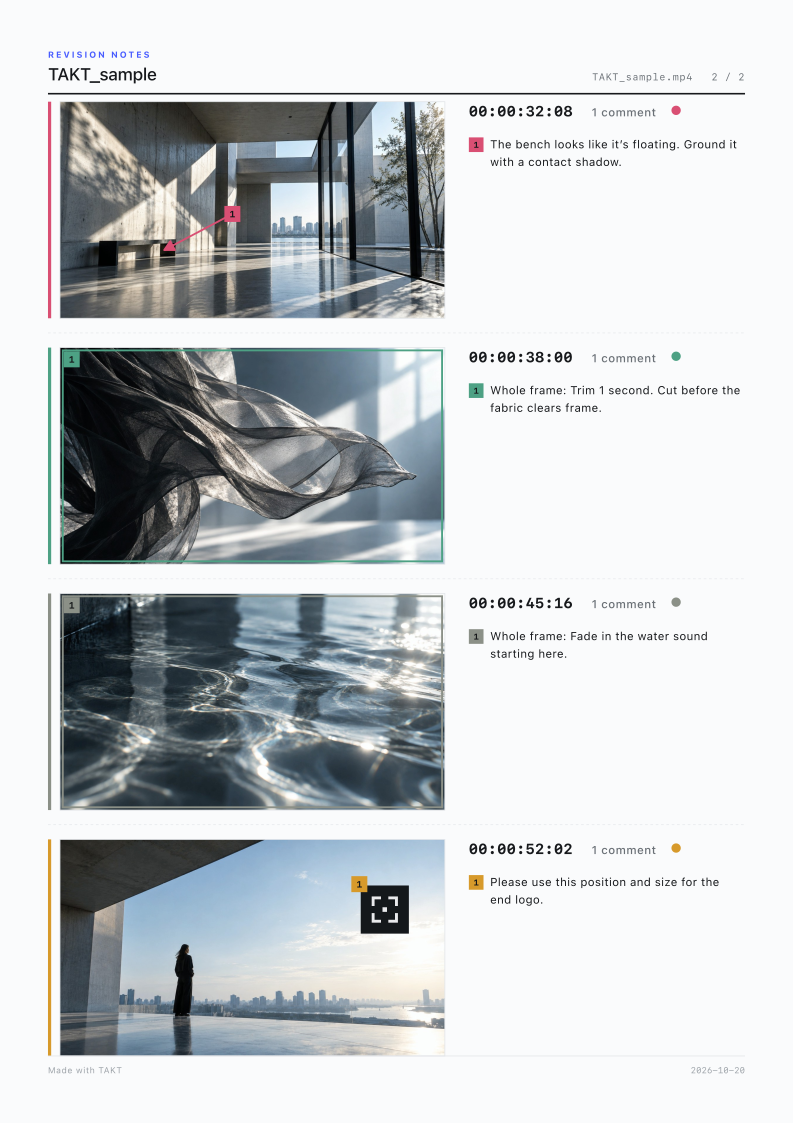
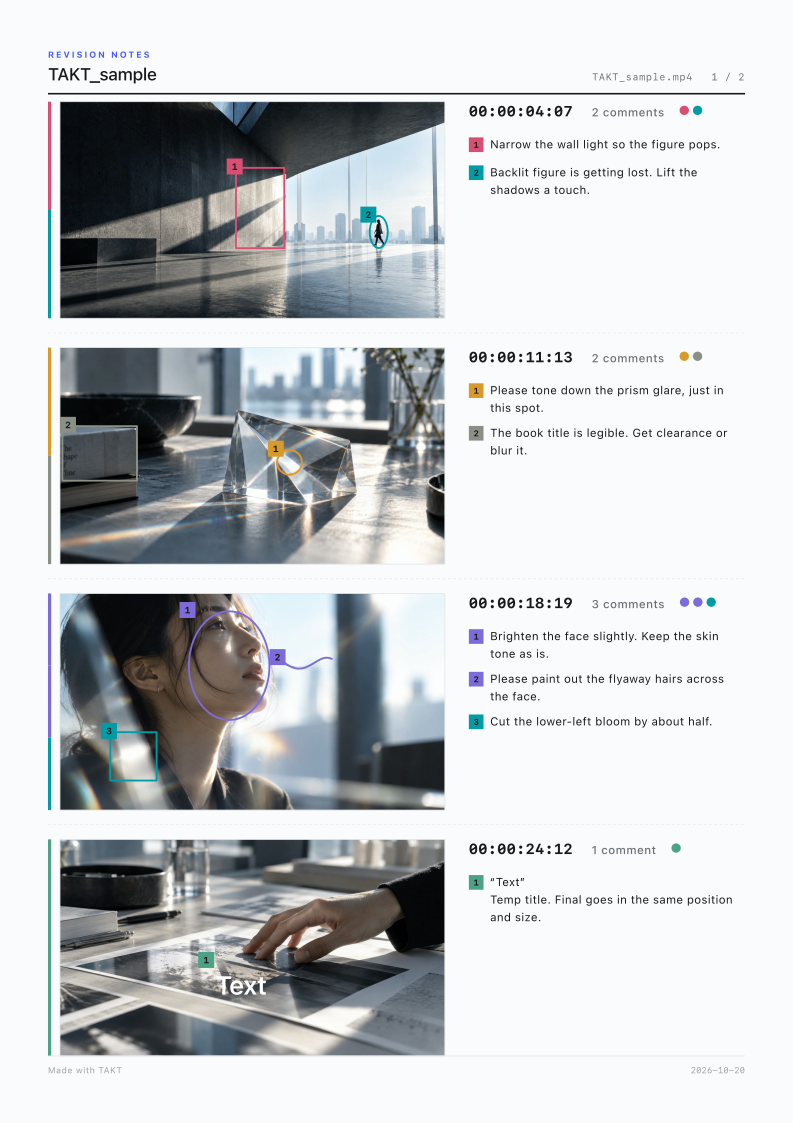
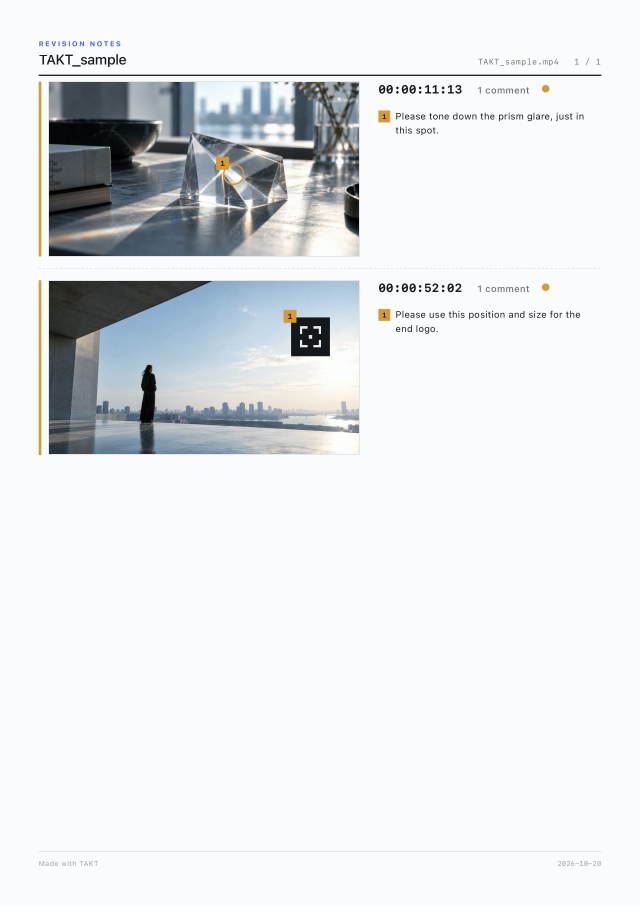
Export a list of your commented frames as a PDF.
Export a PDF for each color
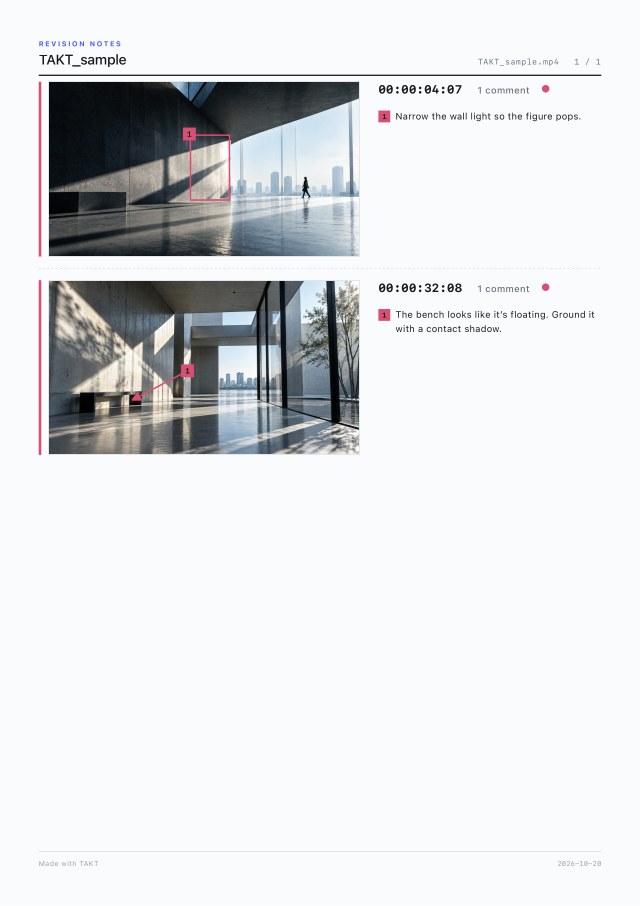
From a single project, export a separate PDF for each comment color. Export only the comments each recipient needs.
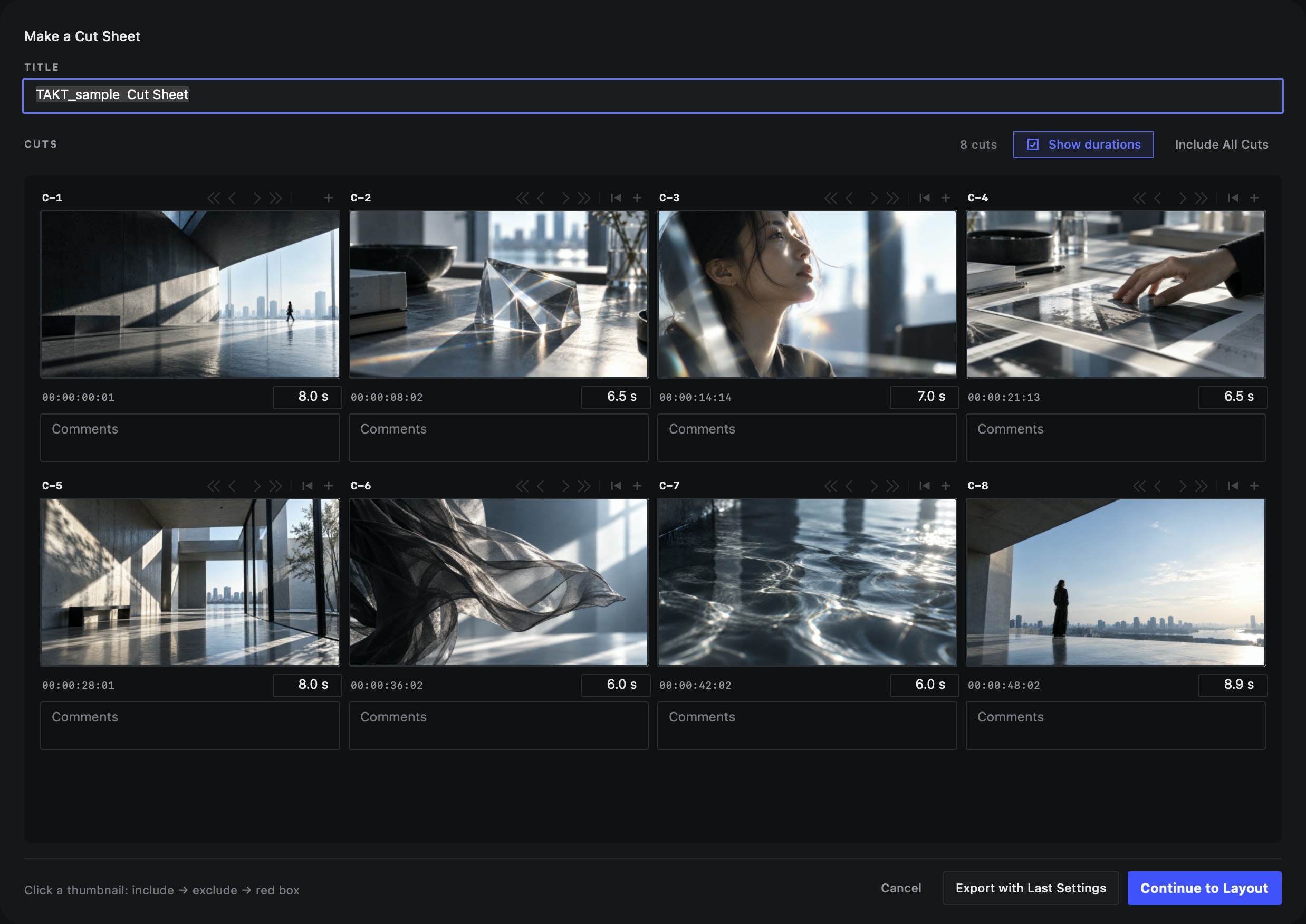
Make a cut sheet
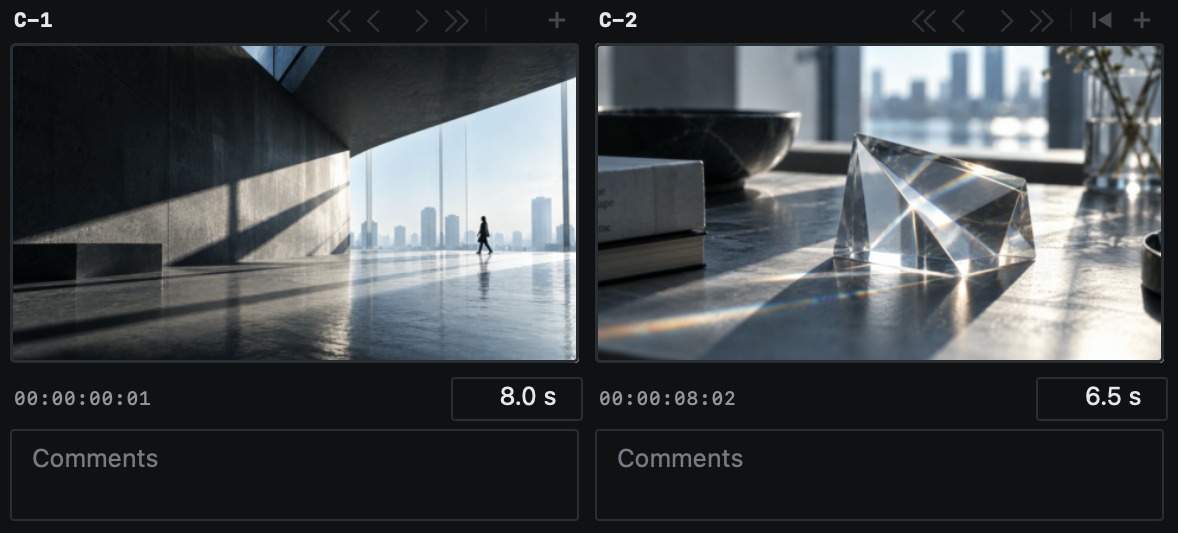
TAKT automatically detects cuts and builds a cut sheet. Add or adjust cuts and fine-tune the thumbnail frames. Then choose the page orientation and number of columns, and export to PDF.
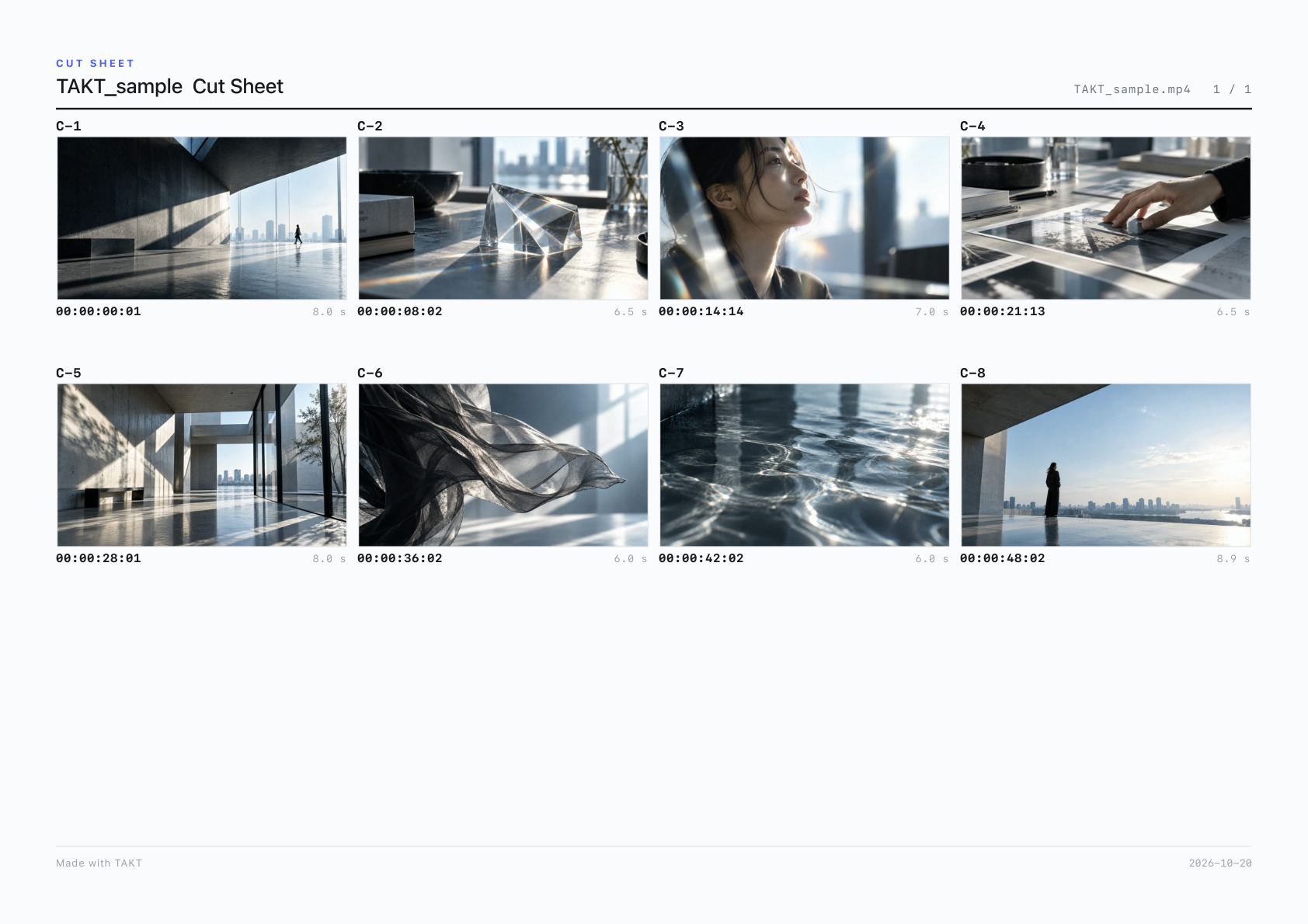
Layout options
- Orientation
- Portrait or landscape
- Columns
- 3, 4, or 5 for horizontal footage.
4 to 7 for vertical footage.
Rows and cuts per page are set automatically. - Durations
- Show or hide
- Comments
- Up to 2 lines per cut
- Logo
- Any corner, in 3 sizes
Page orientation and number of columns carry over from your last settings.
No uploading
TAKT opens the video files already on your Mac. Your footage is never sent to a server.
Share a PDF
Export your comments as a PDF and send it as is. The recipient doesn’t need TAKT.
Share the project file
Share the project file and the original video so the other person can review your comments and continue working in TAKT.
- The project file does not contain the video itself.
Try it, then buy
Try every feature first, with no time limit. PDFs and cut sheets exported before purchase carry a watermark. A one-time license lets you export without it.
- One-time payment · no subscription
- One license, one Mac at a time
- macOS 14 or later (Apple silicon and Intel)
- Buy from within the app
Before and after purchase
| Before purchase (FREE) | After purchase | |
|---|---|---|
| Features | All | All |
| PDFs and cut sheets | Watermarked | No watermark |
| Time limit | None | None (one-time purchase) |
After purchase, you can turn off the “Made with TAKT” line at the bottom of exported PDFs and cut sheets in Settings.
Start using TAKT for free.
Review your footage and write your comments. See for yourself how TAKT feels to work with.
From reviewing footage to revision notes.All in TAKT.